Hey! Got a new build for you today, along with an update on that “Violent Criminal Organizations” situation.
To read a list of everything that was added / changed / fixed / improved in the latest update, scroll down past this TikTok video:
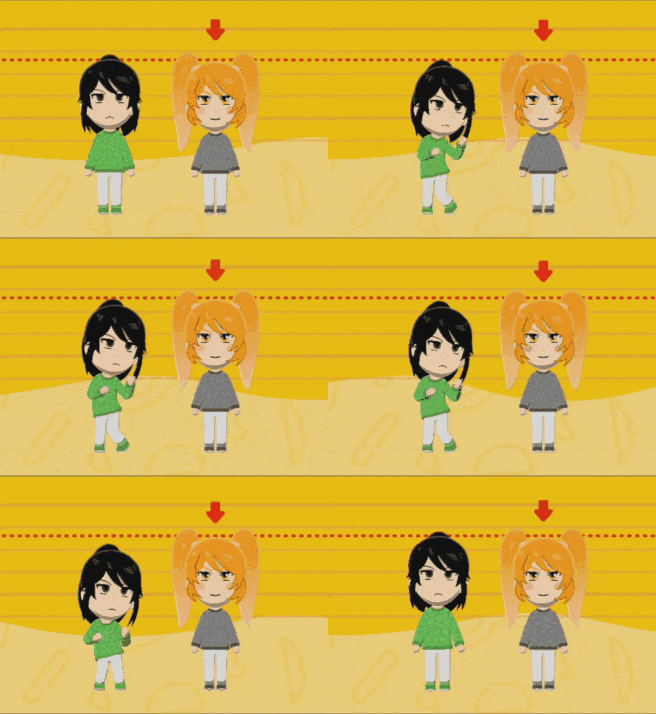
Ahh!! I think the tiny Ayano on the back is so cute!!
Alright, let’s get the most serious and unpleasant thing out of the way first…
Violent Criminal Organizations Update
There’s an update on the situation, but, unfortunately, it’s pretty much the worst-case scenario.
Quick backstory: Sometime last year,
YouTube started terminating dozens of Yandere Simulator YouTube channels for allegedly violating the “Violent Criminal Organizations” policy. None of those channels seemed to actually be violating the policy, so it felt like those channels had clearly been terminated in error. The most common theory was that YouTube had begun to use AI to scan videos for references to crime or criminal organizations, and the AI was automatically deleting any video that featured Yandere Simulator gameplay, or mentioned the word “yakuza,” or something along those lines.
I got in contact with a “YouTube Partner Manager” and sent him a list of channels that had been wrongfully terminated. He sent the list to the YouTube Policy Team, and they restored
every single channel from that list. This was very promising! I sent him
another list, and the Policy Team restored nearly every channel on
that list, too! It seemed that we had found a reliable way to save the channels that had been terminated. I had high hopes that we could just keep doing this until every single wrongfully-terminated channel was restored.
…however…
A few days ago, the YouTube Policy Team instructed the Partner Manager to stop sending them terminated channels to review. They did not provide any reason for this sudden decision. It’s as if they’ve simply gotten tired of constantly being informed of wrongfully-terminated channels, and they just don’t want to hear about it anymore.
Yes, you read all of that correctly;
the YouTube Policy Team is fully aware that dozens of channels have been wrongfully terminated, and they absolutely COULD do something about it, but from this point forward, they’ve decided to just let wrongfully-terminated channels remain terminated.
They say, “If your channel was terminated, you can submit an appeal,” but every creator states that when they submit an appeal, it is automatically declined within seconds. Clearly,
no appeals are ever read by human eyes.
And, so, I have to deliver the worst news possible:
If you are a Yandere Simulator YouTuber, and your channel has been terminated, I no longer have any ability to help you. It breaks my heart to say this, but your channel will probably remain terminated forever.
YouTube is fully aware that channels are being wrongfully terminated in massive numbers, but they simply don’t care, and they won’t fix the problem. They’re just going to let it keep happening.
I’m completely distraught over this. It sucks so much to see fans of Yandere Simulator being treated this way by YouTube. It’s an extremely sad situation.
Apparently, if you live in the European Union, you can use the “
Digital Services Act” to restore your channel. So far, One guy actually did have success with getting his channel restored this way. However, I don’t live in the EU, and I have no experience with the DSA, so I can’t give you instructions on how to do this. Sadly, if you don’t live in the European Union, there appears to be no recourse for you at this point in time.
The YouTube Policy Team very rarely ever reverses their decisions, even when those decisions are clearly in error. I can only think of one scenario where decisions are overturned: It’s when a huge creator uploads a video complaining that one his videos was wrongfully deleted, his video goes viral and gets millions of views, and it starts to create really bad PR for YouTube. This is really the only time when the Policy Team stops, takes a look at what they are doing, and corrects their mistakes. Our only hope at this point is to pray for one of those situations to occur. Because, outside of that scenario, there is almost nothing that can be done.
My advice to you is that, if you upload Yandere Simulator content, you have to do one of three things:
- DO NOT feature any violence whatsoever in the video.
- It appears that you can feature a small amount of violence as long as you include a disclaimer stating that that purpose of the video is not to advocate for violence in schools.
- You could theoretically upload footage of a genocide run, but you’d have to activate many of the game’s censorship options to completely censor all attack animations, blood, corpses, weapons, etc., and you have voiceover commentary making it clear that the purpose of the video is not to advocate for violence in schools.
Because the YouTube Policy Team never clearly communicates how they enforce their rules or why some content is allowed and other content is not allowed, we don’t even truly know for sure if the above advice is enough to keep your channel safe.
Man. The whole situation sucks.
To offset this terrible news, let’s focus on something more positive and lighthearted…
Yandere Simulator characters in Tomodachi Life
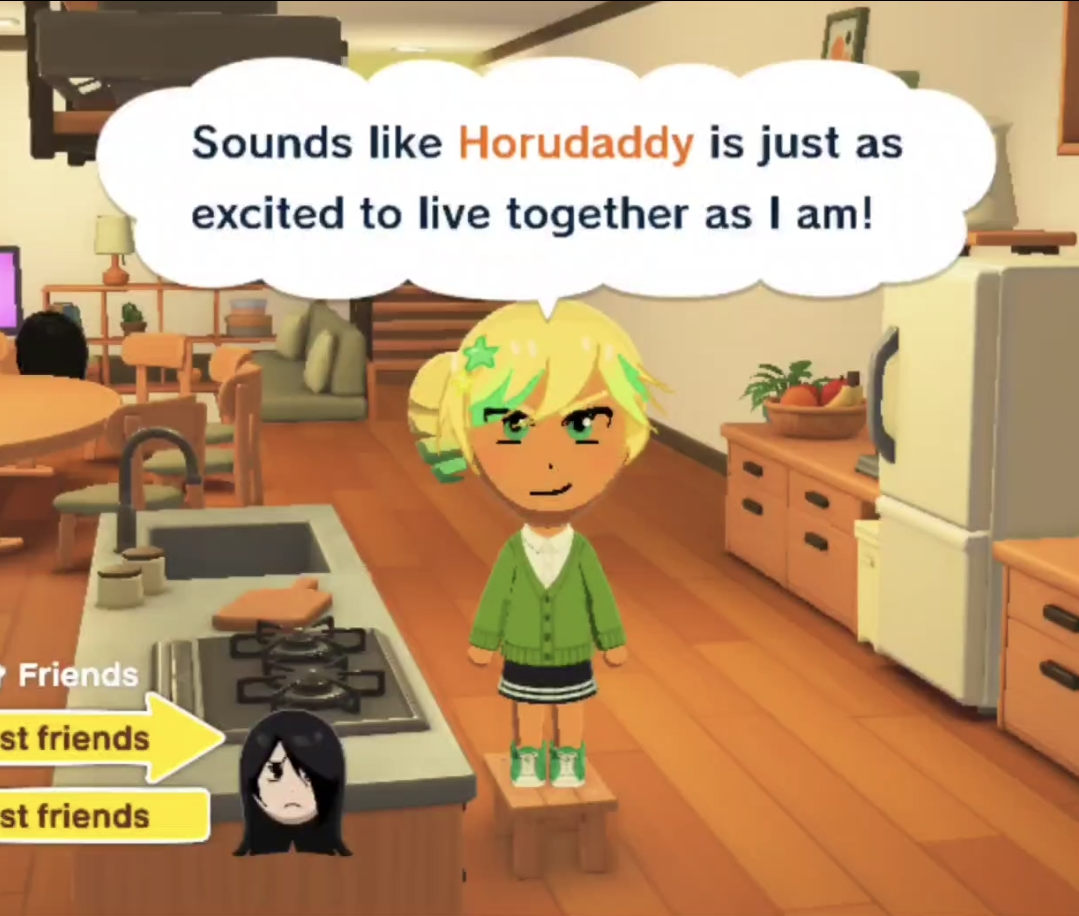
Shortly after my last blog post, a new Tomodachi Life game was released. I’m delighted to see that a lot of people have re-created their favorite Yandere Simulator characters in Tomodachi Life!

People have been sending me screenshots and video clips of funny things the characters have said, and I get a kick out of it every time.

I love seeing stuff like this! If you decide to
create Yandere Simulator assets for Tomodachi Life or just screenshot/record a funny interaction between two Yandere Simulator characters on your island, you’re always welcome to share it with me.
Alright; now, let’s move on to the actual changelog part of the blog post.
Amai-Specific Additions
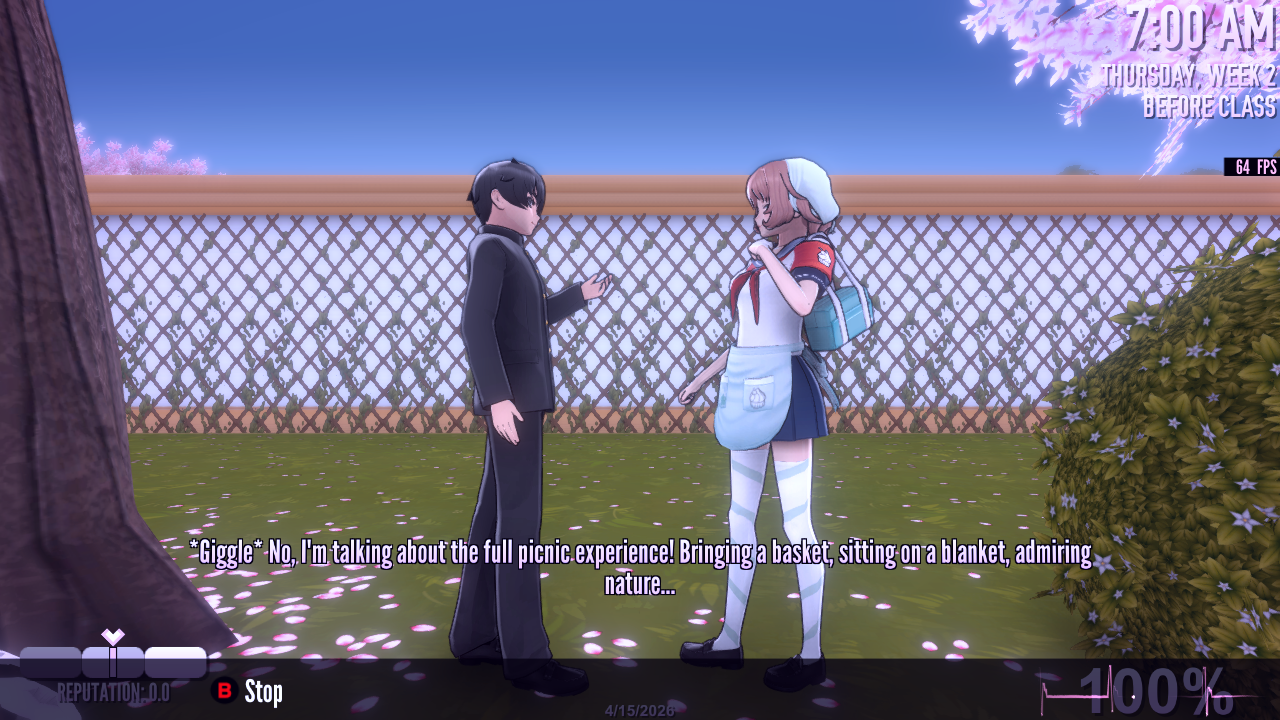
Amai’s Thursday morning conversation with Senpai now has voice acting and animation.

Also, Amai now has a new idle animation and a new walk animation.
When speaking to Amai inside of her club, Amai now has voice lines for:
- Saying goodbye to Ayano
- Kicking Ayano out of the club
- Informing Ayano that she is unwelcome because Amai witnessed her commit murder
- Informing Ayano that she is not allowed to join the club because someone in the club holds a grudge against them
A bunch of other Amai voice lines have been recorded, and simply aren’t in the game yet. I hope to add them to the game before the next update. (This is what I said 2 weeks ago, and those voice lines still aren’t in the game yet…I apologize for this.)
Custom Mode
- The “Change every Action / Destination in a student’s reputation all to one specific thing” feature has been upgraded from a hidden debug command to a real feature. Switching from the “Actions” column to the “Destinations” column is how you determine which thing is going to get changed.
- Fixed bug that would cause students in Custom Mode to take out a smartphone after putting graffiti on a desk, even though Custom Mode is set in the 80s and smartphones aren’t supposed to exist.
- A character would rotate left/right when the player entered/exited the “choose student’s portrait” screen. This bug has been fixed.
- The description text for Actions / Destinations was not accurate. This has been fixed.
- It is now possible for male students to perform the Bully and Graffiti actions.
Changes
- One of Info-chan’s bounties is “Beat up Umeji and take a photo of him sulking after his defeat.” However, this bounty is impossible to complete if the player has befriended Umeji. To get around this, I’ve re-designed the bounty; Info-chan now accepts two types of photos: Umeji sulking, or Umeji vomiting into a toilet. There are now two ways to complete the bounty.
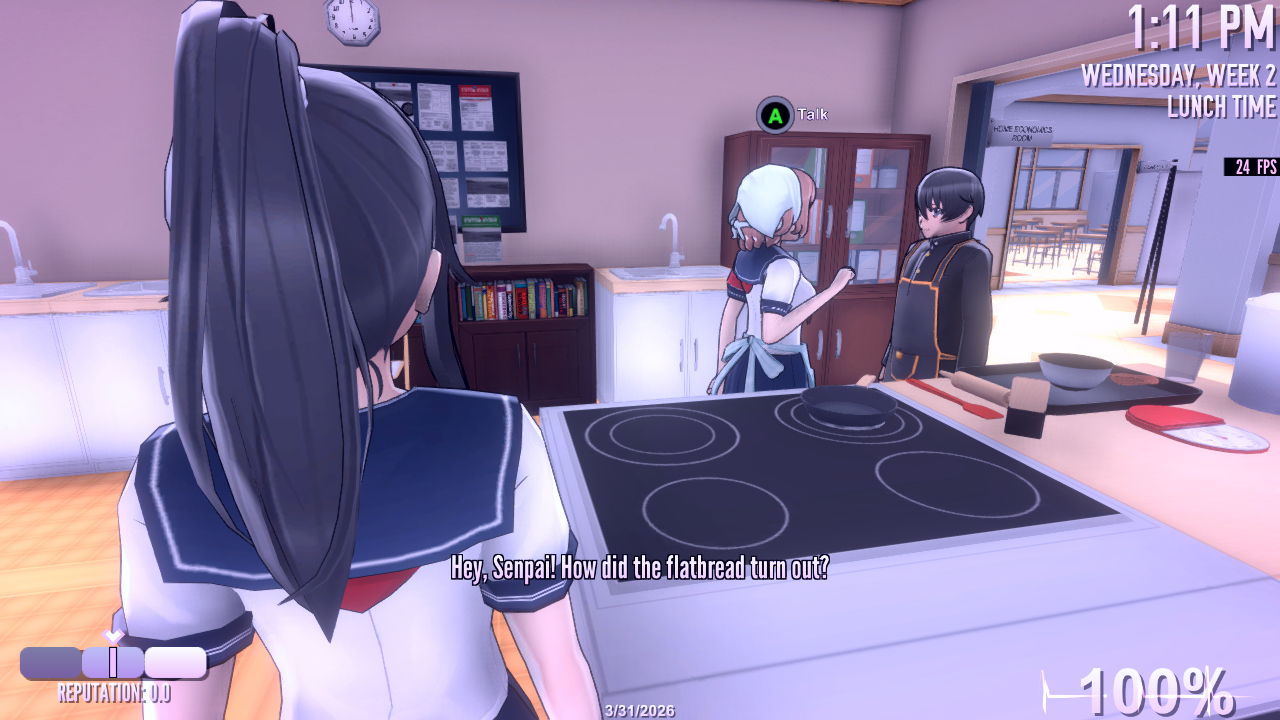
- During Amai’s Wednesday Cooking Class Event, Amai states that she’s supplied a recipe to everyone to help them cook flatbread, but only one student in class was actually given a recipe: Senpai. Now all of the other people in the class have a recipe, too.
- If the player set off a stink bomb in the Home Ec room during Amai’s cooking class event, everyone would ignore the smell and remain in the room. This felt wrong, so now the stink bomb will cancel the event and cause everyone to vacate the room.
- Police sirens will no longer be heard if you currently have debug mode on. (If you’ve activated debug mode, you probably won’t be letting the cops arrive, meaning that the sirens would just be playing indefinitely.)
- Someone pointed out how weird it is that Ryoba wears a school uniform during her trial. Ryoba now wears black business attire when in the courtroom.
Fixes
- When the player attacked someone with a strangulation weapon, two weapon sound effects would play simultaneously: The strangulation sound effect, and also the “stealth attack from behind with a knife” sound effect. This bug has been fixed.
- If the player sabotaged Amai’s Wednesday Lunchtime interaction with Senpai (sabotaging the recipe) the sabotaged outcome would play out, and then the non-sabotaged outcome would play immediately afterwards. This bug has been fixed.
- While Kuroko was performing her daily routine / patrol through the school, if the player stood in front of her in the Sewing Room, her pathfinding would break. This can no longer happen.
- During the end-of-day police investigation sequence, if a scythe was involved in a murder, the scythe would not “unfurl” and would remain in its compact shape. This bug has been fixed.
- If the player saved and loaded during Senpai’s “making food in the Home Ec Room” event, characters would not properly go where they were supposed to be going. This bug has been fixed.
- If the player brought a weapon to school on the same day that a memorial was being held for a dead student, the weapon would be duplicated. This bug has been fixed.
- If the player activated the “censor corpses” option and defeated a teacher in a struggle, the teacher’s corpse would not be censored. This bug has been fixed.
- The first-person “holding your smartphone in front of your face” view was not rendering the world, and was only rendering the skybox. This bug has been fixed.
- While the player was in the southeast part of the 2nd floor of the school, facing north, part of the hallway would not render. This bug has been fixed.
- If the player killed Osana and then tried to perform Amai’s Befriend/Betray sidequest, Amai would indefinitely run in place. This bug has been fixed.
- In Kokona’s tutorial, if the player entered the “Cleaning Evidence” tutorial, parts of the school would not render. This bug has been fixed.
- Sakyu and Inkyu became incapable of pathfinding to certain spots in their daily routine near the school fountain. This bug has been fixed.
- During the end-of-day police investigation sequence, weapons were not rotating, as they were supposed to be. This bug has been fixed.
- The boxes outside the Photography Club in 1980s Mode had the wrong texture. This oversight has been corrected.
- When wearing a raincoat, Ayano’s hair was clipping through the raincoat hood. This bug has been fixed.
- If the player used the Pass Time feature, subtitles would disappear. This bug has been fixed.
- If the player saved and loaded, the baseball bat would disappear. This bug has been fixed.
Genocide Ending Cutscene Problems
Something really weird happened. As I was exporting the build, Unity threw an error and informed me that a file was missing – the “prefab” (prefabricated game object) for the protagonist in the Genocide Ending cutscene. I opened the scene, and the protagonist’s prefab was no longer a character model with animations and colliders and scripts on it; now it was just an empty object named “Missing Prefab.”
I use GitHub to make backups of every asset whenever I ever make any type of change, so that I can always roll back to a previous version of a file or restore anything that has been deleted. However, GitHub did not show any sign whatsoever that the Genocide scene had been changed, or that the protagonist’s prefab had been deleted. There was no meaningful explanation for the prefab suddenly breaking out of nowhere. It’s as if a little goblin crawled into the project files, deleted one specific file, then ran away, snickering mischievously.
Recently, the animator who animated the Genocide Ending cutscene sent me a new animation in the form of a .unitypackage. My working theory is that this new .unitypackage had a prefab inside it with the same GUID as the protagonist’s prefab in the Genocide Ending cutscene, which meant that the Genocide character’s prefab got over-written. I really have no other theories. Aside from the goblin theory, of course.
Anyway, I tried various methods to restore the prefab, but nothing worked. In the end, I had no choice but to completely re-create the prefab. This took a lot of time and work, since there’s a lot of stuff going on in that scene with the character’s hair obeying gravity, the hair interacting realistically with her arms as she animates, the character interacting with an animated prop, the character’s appearance changing on the player’s choices, etc. I basically had to re-implement 50% of the Genocide Ending cutscene.
Here’s the bottom line: In this build, the Genocide Ending cutscene might be buggy, because I had to completely re-create the protagonist in that scene. I tested the cutscene in 202X Mode, in 1980s Mode, and confirmed that the protagonist’s appearance updates depending on the school uniform that the player chose at the beginning of the game…however, I didn’t exhaustively test absolutely every edge-case (such as if the player activates this cutscene after changing the protagonist’s hair color or hair style at home, or in Custom Mode, or with Vtuber easter eggs active, etc). So, you may encounter bugs in this cutscene depending on the exact circumstances that you enter the cutscene with. You’re welcome to report these bugs if you find them, I suppose.
By the way, there’s this one type of comment that frequently appears in the comment section, so I just want to get ahead of it…
That’s It?? That’s all you accomplished over the past 2 weeks??
No, that’s not all I did over the past 2 weeks. I did a lot more work in the past 2 weeks than what is described in this blog post, but none of it is reflected within the game yet. For example, three promising voice actors auditioned over the past 2 weeks, and I spent a lot of time sending them lines to read, reviewing their performances, giving them feedback so they could get closer to the perfect voice for specific characters, etc. (Also, as mentioned above, an excellent new cutscene animation was delivered a few days ago, but isn’t in the game yet.)
“He released a small update today” doesn’t mean “He barely did any work over the past 2 weeks” or “He is choosing to work on small things instead of important things.” It means “A lot of the work he did over the past 2 weeks isn’t stuff that will immediately appear in the game.”
By the way…
I absolutely refuse to let every waking moment be nothing but nonstop work, so, yes, I did set aside one hour to make something purely for fun over the past 2 weeks. Just in case you missed it, I wanted to include it here. Hope you enjoy!