Navigation
Install the app
How to install the app on iOS
Follow along with the video below to see how to install our site as a web app on your home screen.
Note: This feature may not be available in some browsers.
More options
Style variation
You are using an out of date browser. It may not display this or other websites correctly.
You should upgrade or use an alternative browser.
You should upgrade or use an alternative browser.
New Media Processor is Running
- Thread starter Null
- Start date


- Joined
- Oct 20, 2019
Apologies if this has been covered in the 27 pages of this thread so far, but I notice a Download option has been added on Right-Click. This is good but the link opens in same tab, thus taking you from the current page and typically starts playing with the browser's native HTML player. I think it's just a bare URL of the video. It would be better if it could at least have target="_blank" and I think it's a download attribute as well with the filename?
Also, as someone who used to carefully encode his videos for good quality/size before uploading manually, is this irrelevant now? If I encode things at 1080p in AV1 will the video go through without re-encoding?
Also, as someone who used to carefully encode his videos for good quality/size before uploading manually, is this irrelevant now? If I encode things at 1080p in AV1 will the video go through without re-encoding?

- Joined
- Nov 14, 2012
I'm not changing the raw media outputs anymore. It does automatically trigger an automatic download. If it doesn't for you it's because your browser deliberately breaks this behavior. I'm not fucking with this anymore, what you have it what you get. If you don't like it break the site, disable JS, or whatever the fuck soothes your autism the most.Apologies if this has been covered in the 27 pages of this thread so far, but I notice a Download option has been added on Right-Click. This is good but the link opens in same tab, thus taking you from the current page and typically starts playing with the browser's native HTML player. I think it's just a bare URL of the video. It would be better if it could at least have target="_blank" and I think it's a download attribute as well with the filename?
Also, as someone who used to carefully encode his videos for good quality/size before uploading manually, is this irrelevant now? If I encode things at 1080p in AV1 will the video go through without re-encoding?
What is your UI scaling? Like 2.5x?I know it’s a work in progress, the player currently looks like this (iOS).
- Joined
- Oct 20, 2019
It's independent of browser, fwiw - happens in Firefox and Chrome based browsers and I'm sure I can't be the only one. FWIW, I'm just going to post the cause anyway. It's this bit in init.bundle.js:I'm not changing the raw media outputs anymore. It does automatically trigger an automatic download. If it doesn't for you it's because your browser deliberately breaks this behavior. I'm not fucking with this anymore, what you have it what you get. If you don't like it break the site, disable JS, or whatever the fuck soothes your autism the most.
JavaScript:
            case 'download':
                {
                    // Stream the original source to a Blob and trigger an in-tab
                    // download via <a download>. Using fetch + Object URL keeps
                    // it on the same tab (a plain <a download href> falls back
                    // to a navigation when the server doesn't send
                    // Content-Disposition; XF's data-attachment route doesn't,
                    // so a blob is the only reliable single-tab path).
                    const fallback = this._player ? this._player.dataset.fallback : '';
                    if (!fallback) {
                        this._toggle(false);
                        return;
                    }
                    const filename = (this._player && this._player.dataset.filename) || '';
                    const abs = ( () => {
                        try {
                            return new URL(fallback,window.location.href).href;
                        } catch (e) {
                            return fallback;
                        }
                    }
                    )();
                    const triggerSave = (href, revoke) => {
                        const a = document.createElement('a');
                        a.href = href;
                        a.download = filename || '';
                        a.rel = 'noopener';
                        a.style.display = 'none';
                        document.body.appendChild(a);
                        a.click();
                        a.remove();
                        if (revoke) {
                            setTimeout( () => {
                                try {
                                    URL.revokeObjectURL(href);
                                } catch (e) {}
                            }
                            , 60_000);
                        }
                    }
                    ;
                    try {
                        const resp = await fetch(abs, {
                            credentials: 'same-origin'
                        });
                        if (!resp.ok)
                            throw new Error('http ' + resp.status);
                        const blob = await resp.blob();
                        triggerSave(URL.createObjectURL(blob), true);
                    } catch (e) {
                        // Cross-origin / network failure: fall back to a direct
                        // <a download> with the absolute URL. Same-origin
                        // XF data files satisfy the same-origin rule for
                        // `download` to work without navigation in modern
                        // browsers; if we land here, the download attribute
                        // gets ignored and the browser opens it as navigation,
                        // but at minimum the user gets the file.
                        triggerSave(abs, false);
                    }
                    this._toggle(false);
                    return;
                }
An exception is thrown because connecting to the blah.mp4 file URL "violates the following Content Security Policy directive: "connect-src 'self' wss: *.mcl.io no-cookie.kiwifarms.st". The action has been blocked." That throws which is then caught and replaced with a raw <a> link to the file, opening same window and without the download attribute. At least according to my quick eyeballing.
I really like the new stuff you've done. Apologies to pick on this. But it's not just me - it's Firefox and Chrome browsers, Tor and non-Tor, logged in and not. Just thought you should know.
- Joined
- Oct 20, 2019
Oh God, I hate being the person who annoys you with this. My autism compels me. It's not a matter of being too lazy to open a new tab. The download button on the player is a JS event, not an actual HTML <a> tag so you can't right-click on it and open in a new tab or similar.okay, I will put another hour in this morning to make sure that the people who cannot be fucking bothered to open a new tab get what they want.

If you mean the "Copy link to media" option two above, that also isn't a standard <a> tag that you can right click on and get open in new tab or download. And whilst clicking on it does copy a link to the clipboard, it's a link back to the post it's in rather than the direct media so you're just in a loop.
I hate doing this because I know what it's like when you've put a bunch of work into something and made it 98% awesome and then some cunt comes along and gives you feedback on the 2%. I will renew my subscription in penance. It's awesome work and it looks very cool.
Unrelated question: If I encode my videos to 1080p AV1, do they still get re-encoded or do they go direct to the server as is? Historically I've tried to optimise my videos for the site before uploading, if they're anything other than quite small.

- Joined
- Jan 16, 2020
Subtitles are good to have but I think they should be hidden by default rather than automatic, it is annoying to have to hide them every time.I know it’s a work in progress, the player currently looks like this (iOS).
View attachment 8949770
Amazing to have scrubbing though!

- Joined
- Sep 22, 2021
A good question, it was on 120%What is your UI scaling? Like 2.5x?
Set back to 100% the widgets do fit on a single line.
- Joined
- Nov 14, 2012
The setting should be sticky.Subtitles are good to have but I think they should be hidden by default rather than automatic, it is annoying to have to hide them every time.
Everything gets re-encoded. It doesn't trust user input.Unrelated question: If I encode my videos to 1080p AV1, do they still get re-encoded or do they go direct to the server as is? Historically I've tried to optimise my videos for the site before uploading, if they're anything other than quite small.
- Joined
- Nov 14, 2012
I have painstakingly evaluated every possible option over three hours for giving you what your autism wants and there is NO WAY TO ACCOMPLISH IT. It involves either punching holes through our CSP, putting user uploads on our out-of-sandbox main domain, or heavily editing Tartarus to trigger manual downloads. I am not doing any of that. Do not bother me about this again. Just press ctrl+s like a normal fucking person.Oh God, I hate being the person who annoys you with this. My autism compels me. It's not a matter of being too lazy to open a new tab. The download button on the player is a JS event, not an actual HTML <a> tag so you can't right-click on it and open in a new tab or similar.
View attachment 8950108
If you mean the "Copy link to media" option two above, that also isn't a standard <a> tag that you can right click on and get open in new tab or download. And whilst clicking on it does copy a link to the clipboard, it's a link back to the post it's in rather than the direct media so you're just in a loop.
I hate doing this because I know what it's like when you've put a bunch of work into something and made it 98% awesome and then some cunt comes along and gives you feedback on the 2%. I will renew my subscription in penance. It's awesome work and it looks very cool.
Unrelated question: If I encode my videos to 1080p AV1, do they still get re-encoded or do they go direct to the server as is? Historically I've tried to optimise my videos for the site before uploading, if they're anything other than quite small.
- Joined
- Jan 16, 2020
I meant that the subtitles show up automatically for every newly opened video. For old videos the sticky setting works.The setting should be sticky.
- Joined
- Nov 14, 2012
what does newly opened mean. the setting works for me.I meant that the subtitles show up automatically for every newly opened video. For old videos the sticky setting works.
- Joined
- Jan 16, 2020
e.g someone makes a new post with a video attachement, when i click to play it, the subtitles are generated automatically and I need to turn them off manually.what does newly opened mean. the setting works for me.
- Joined
- Jan 16, 2020
Okay, now it seems to load normally (with no subtitles), no idea what caused it then, guess I am a retard
Edit: No wait, the setting is only saved for the session.
Last edited:

- Joined
- Nov 21, 2013
no? they're in local storage. if you're using a browser that purges all local storage values constantly then yes that's how that works.Edit: No wait, the setting is only saved for the session.

- Joined
- Apr 25, 2025
He said Doctor btw


Kokonut Kangs Klan
kiwifarms.net
- Joined
- Oct 9, 2025
This kind of shit discourages me from donating tbh. I'll still do it eventually in the interest of keeping the site alive, but this whole "dooonate so I can make improovements" thing falls flat when I have to watch him fumble through basic web usability/design deficiencies and bitch about how annoying it is to receive competent feedback. The frustrating part is I know he's not this dumb, it's either stubbornness or the vibe coding making him too lazy to debug shit. (And I don't mind fixing it for myself, but that has to wait until he stops fucking with it.)I hate doing this because I know what it's like when you've put a bunch of work into something and made it 98% awesome and then some cunt comes along and gives you feedback on the 2%. I will renew my subscription in penance. It's awesome work and it looks very cool.
Last edited:

- Joined
- Sep 28, 2021
If you want to fuck around more with it, it's still a bit fucky here (but seems to work just fine):
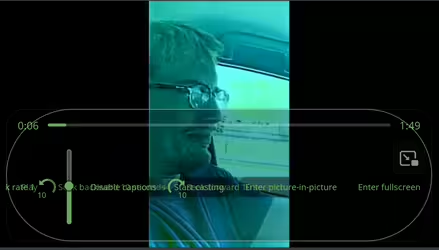
If you're done fixing obscure edge cases I'll just get the electronic code slave to write a userscript to force native controls (they seem to work fine if I shift+right click and enable them).
If you're done fixing obscure edge cases I'll just get the electronic code slave to write a userscript to force native controls (they seem to work fine if I shift+right click and enable them).