E-Readers / E-book Apps - Because paper is for grandpas.

  • 🏰 The Fediverse is up. If you know, you know.
  • Want to keep track of this thread?
    Accounts can bookmark posts, watch threads for updates, and jump back to where you stopped reading.
    Create account

E-Readers and Reading Apps

  • Prefer a book.

    Votes: 26 36.1%
  • Prefer an E-Reader

    Votes: 34 47.2%
  • Nigga I don't read.

    Votes: 12 16.7%

  • Total voters
    72
I use Moon+Reader on my phone. Decent program; I've no complaints.
 
I use Read Era pro.

The free version is great, but you can't turn off your screen, else it'll stop. It was worth thr 15 bucks on android
ReadEra (free) is what I grabbed recently after cycling through a few crap ones with ads. I was trying to find one that would handle PDFs well but I think slow tablets just choke to death on image heavy PDFs (cookbooks).

All books from Anna's Archive (still have to make a shadow libraries thread).
 
ReadEra (free) is what I grabbed recently after cycling through a few crap ones with ads. I was trying to find one that would handle PDFs well but I think slow tablets just choke to death on image heavy PDFs (cookbooks).

All books from Anna's Archive (still have to make a shadow libraries thread).
Same here. I have a few dozen books from AA, even have the app. Might donate just to be able to download right away instead of waiting 489 seconds while on my 10min break at work.
 
I'm thinking about buying an old used Kindle from CeX and jailbreak it so I can read all the books i want, it's a good idea?
 
To be honest I prefer reading PDFs. I can download them free from the internet. Plus there's practically every book in a PDF form.
 
I have a 2011-ish Kindle Touch I like to use for most reading at home. I think it was the first version without a physical keyboard. The fact that it isn't backlit is a feature not a bug for me. Oldest piece of functioning tech I have by far, and it still works. 🤷‍♂️

On my phone I use ReadEra for Android. Mostly use it for listening to an annoying AI voice (but I'm used to it now) recite pirated epubs on my commute, though. I also installed Screen Alive since when the screen goes dark the voice stops on the free version. Yeah, I'm that cheap.

edit:
You can sideload all the books you want without jailbreaking it. Use calibre to convert to KFX and load.
Never done EPUB to KFX, EPUB to MOBI on Calibre works fine for me when I grab books from ZLibrary for my Kindle. Though I guess they've been talking about sunsetting the MOBI format for years now it still works fine.
 
I have a kobo clara hd. I followed the parts of this guide for bypassing registration and getting ssh working and this guide for installing nickel, koreader and syncthing. i can just put books in my "books" folder on my desktop and they appear on my kobo. progress and books also sync to my phone (also using koreader, it works well enough on phones even though its designed for ereaders) in case i'm waiting somewhere and forget my kobo.
 
Last edited:
Thinking of getting a waterproof e-reader for reading while taking a bath. I saw someone mentioning an older version of the Kobo Clara earlier in the thread. I can get a Kobo Clara Colour new for $225 or so which seems acceptable. Anything I should be aware of with new Kobo readers? Do they have any issues with calibre?
 
I ended up getting the Kobo Clara Color.

Like any piece of modern tech, the first thing it does is pesters you that you need wifi and to make an account to initialize the reader. Of course, I don't care about any of that. Luckily, bypassing the initialization bullshit is quite easy on this model: https://www.linux-magazine.com/Online/Features/Basic-Hacks-for-Kobo-E-Readers

Bypassing Registration and Login​

One of the unnecessary intrusions on privacy with Kobo is that it requests registration with the company site for use of the web browser and firmware updates. In addition, Kobo keeps its own list of your purchases from its site. Lee Yingtong Li blogs a simple way to bypass the registration while still making use of the site:

  1. When setting up a Kobo, at the Welcome Screen select the Don’t have a Wi Fi network? option.
  2. Connect the e-reader to a computer, but do not download the Kobo app as directed. Instead, open the Kobo’s internal storage so it can be accessed from the computer.
  3. Navigate to the .kobo directory, which includes the file KoboReader.sqlite.
  4. If necessary, install the SQLite tools. Then, from the .kobo directory, run:
    sqlite3 KoboReader.sqlite
  5. From the SQLite prompt, run
    INSERT INTO user(UserID,UserKey) VALUES('1','');
    and exit and disconnect the Kobo from the computer. All functionality will then be enabled.
    When you tap the sync icon, the sync fails, but the Kobo will still check privately
    for firmware updates and give installation instructions.
This worked quite wonderfully and I could then reconnect the device to my computer, copy over some mobi books in a folder, and they showed up and everything works fine. I might mess around with it later and try out KOReader or other stuff.

By the way, for anyone thinking about connecting this thing to the internet, there's a file under \.kobo\Kobo\Analytics.conf and inside you can find this:
niggerhell.webp

Of course, the damned thing is queueing and waiting to send all your device interactions, not pictured here it also sends out all your book names, file formats, etc. Gotta love living in this modern niggerhell where you pay a few hundred buck for a simple reading device and the first thing it does is start snooping on everything you do.

Anyway, other than the bleak absolute state of modern hardware being glorified telemetry devices, I like how it's much smaller than my old Kindle 3G, but the screen size is the same! Also it's water proof!
 
I'm basically only on Kindle because of the ecosystem. Everything I've seen with Kobo has indicated that it's basically the same DRM niggerhell with the thermostat turned down by a few degrees and worse book selection on the store, so I'm not swayed by it.

The Android-based ereaders seem compelling but they're all made by literally-who Chinese slop factories and have terrible QA and reliability.

Oh, and regular books suck now too because every publisher targets the boutique collector's market with $20+ trade paperbacks (at cheapest).

Once white people figure out how to make an android ereader out of something other than chinesium dogshit, I'm going all-in.
 
I'm basically only on Kindle because of the ecosystem. Everything I've seen with Kobo has indicated that it's basically the same DRM niggerhell with the thermostat turned down by a few degrees and worse book selection on the store, so I'm not swayed by it.

The Android-based ereaders seem compelling but they're all made by literally-who Chinese slop factories and have terrible QA and reliability.

Oh, and regular books suck now too because every publisher targets the boutique collector's market with $20+ trade paperbacks (at cheapest).

Once white people figure out how to make an android ereader out of something other than chinesium dogshit, I'm going all-in.

I have one of those Android e-readers and yeah, they are a bit buggy to use. Still, I prefer it over staying in Amazon's ecosystem. Kindles have godawful organization features and Amazon keeps trying to make removing DRMs from Kindle books as impossible as they can. Plus I prefer having the option of using an e-reading app that's available on Android.
 
I have one of those Android e-readers and yeah, they are a bit buggy to use. Still, I prefer it over staying in Amazon's ecosystem. Kindles have godawful organization features and Amazon keeps trying to make removing DRMs from Kindle books as impossible as they can. Plus I prefer having the option of using an e-reading app that's available on Android.
The major ones I've looked at have been the Boox ereaders but reddit and youtube are full of people complaining about them dying after a year or so so I've been hesitant to plop down 500+ dollarydoos on a Boox Note Air4C.
 
Now that it has been almost a month, I have returned to share my thoughts on the Kobo Clara Color.

First of all, the waterproofing. This was the main reason I had for buying it. I've done some comfy bath reading with it and it seems to be waterproof indeed. That being said, it does present some issues, which I suspect might affect any touch screen device. If you get too many water droplets on the touchscreen, it won't work properly and it will either register random touches or not respond to touching. My solution is to keep a towel nearby and wipe it if necessary. I imagine the only real solution for this would be to have actual physical buttons for turning the page and a way to temporarily disable touch input. So if you're getting an e-reader for bath time reading, keep this in mind.

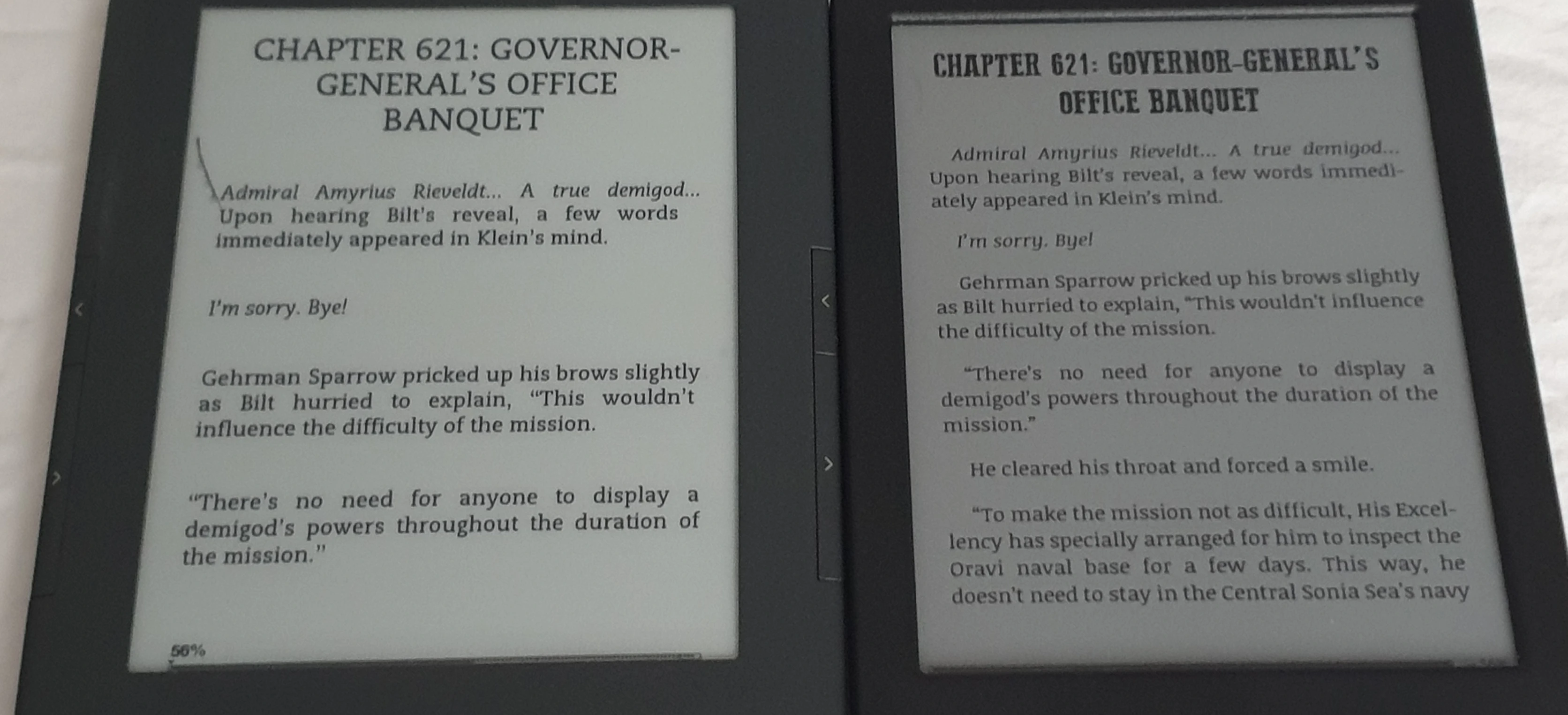
The screen itself is actually "darker" less contrasting than my old Kindle 3G. I suspect this is also because of the touchscreen. Fortunately, it seems that the "frontlight" does not use the battery all that much. You can also adjust the light's brightness and 'warmth' (making it slightly more orange-ish). Overall, I consider it a downgrade from my old kindle but it actually doesn't bother me too much.
Here are some comparison pictures with the light off, my old kindle vs kobo:

Low light conditions (curtains drawn):
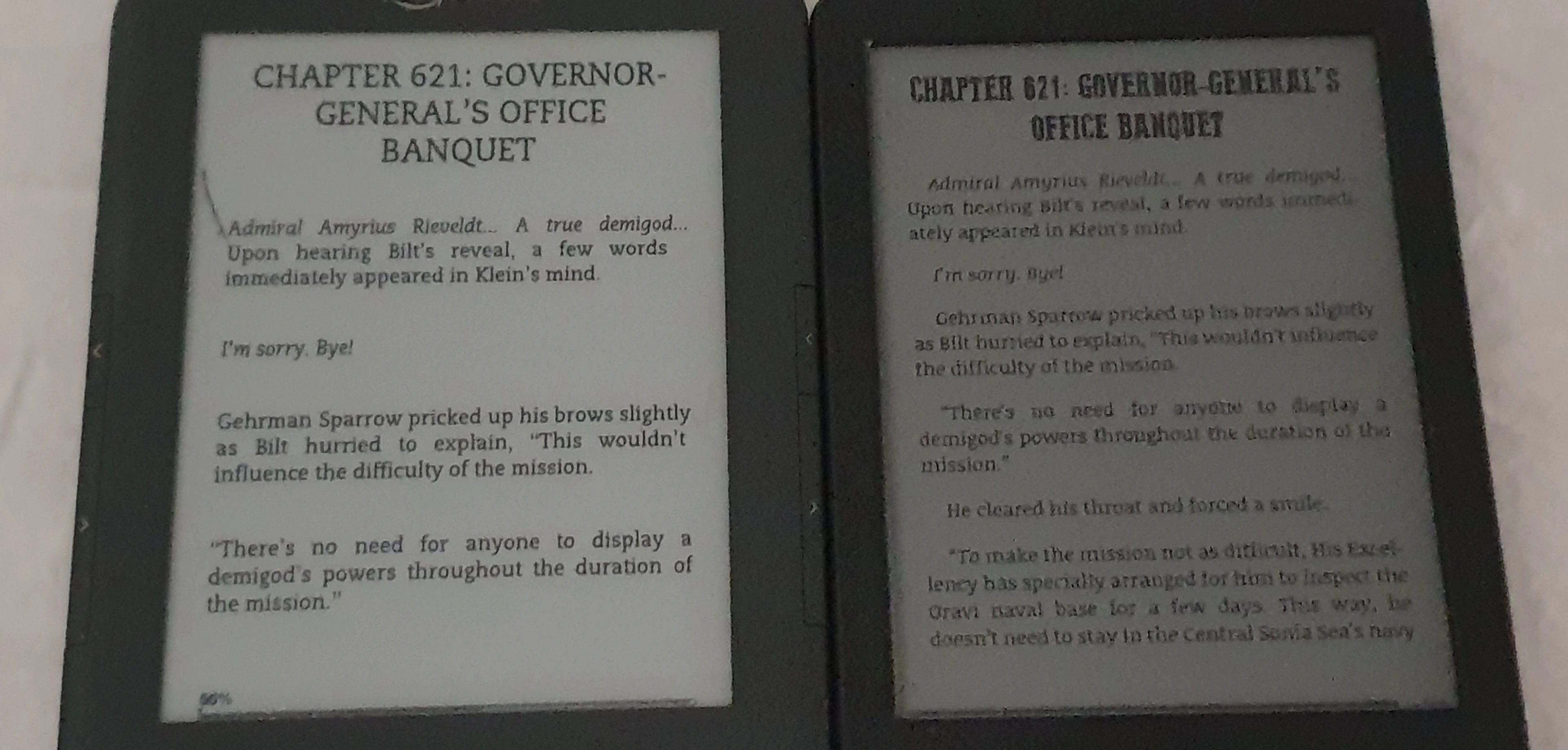
compare-1.webp

Normal winter daylight:
compare-2.webp

EDIT: Ignore the weird line on the kindle, the screen is slightly damaged.

I think in real life the Kobo actually looks even darker than it comes across in the pictures here.

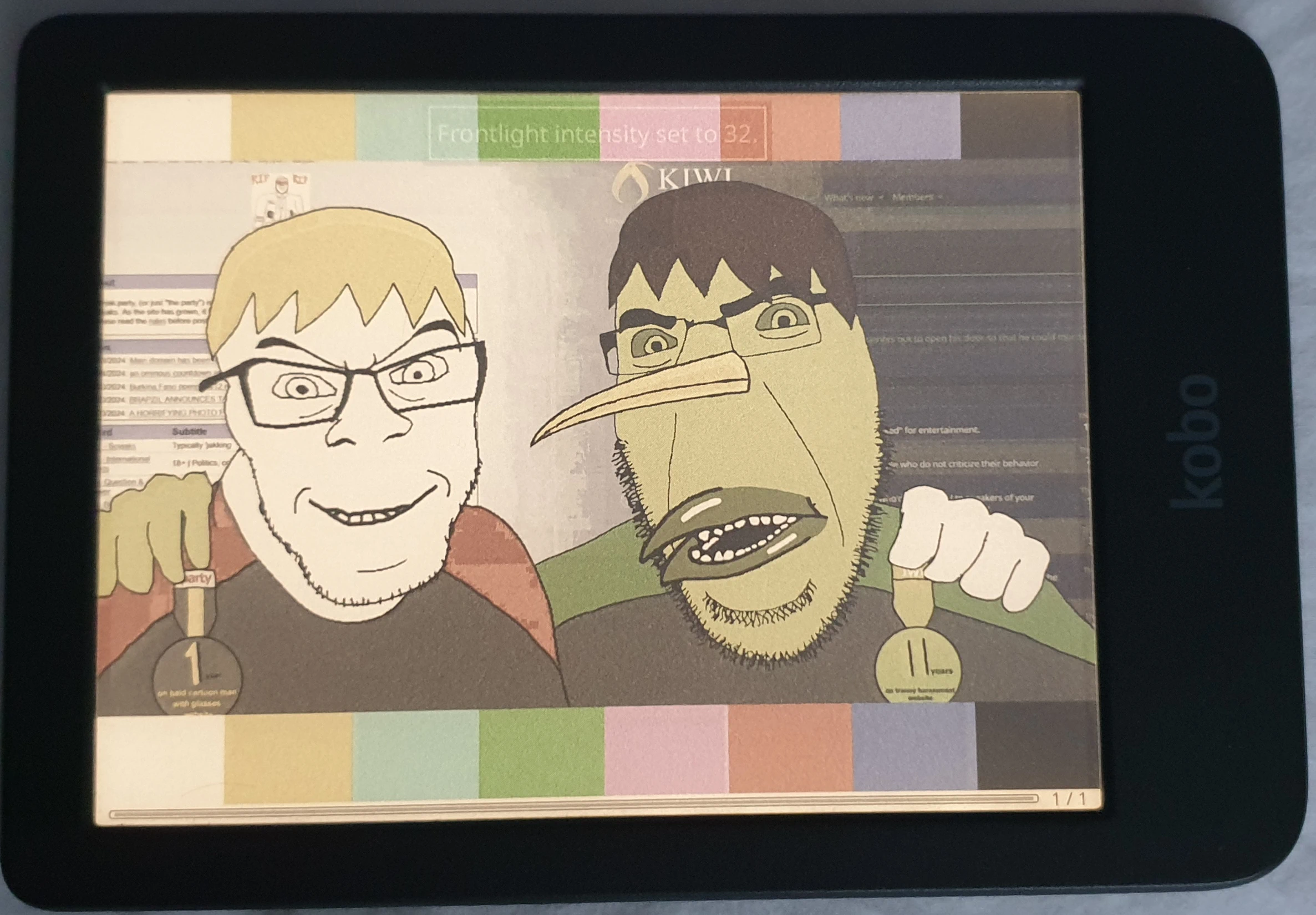
The colors themselves are better than I expected of an e-ink display, but I don't see them as being particularly useful as e-books will mostly be in black and white. If you are reading colored comics or browsing images you'd probably want to use a device with an actual proper color display anyway. I dunno, I like the color e-ink, but at the same time it seems sort of gimmicky? I can't think of a proper use case where I'd think "Wow, I sure am glad I paid the extra money for a color e-ink!". Then again, it feels cool somehow, kind of useless but cool.

Here's an example with the light on and off.
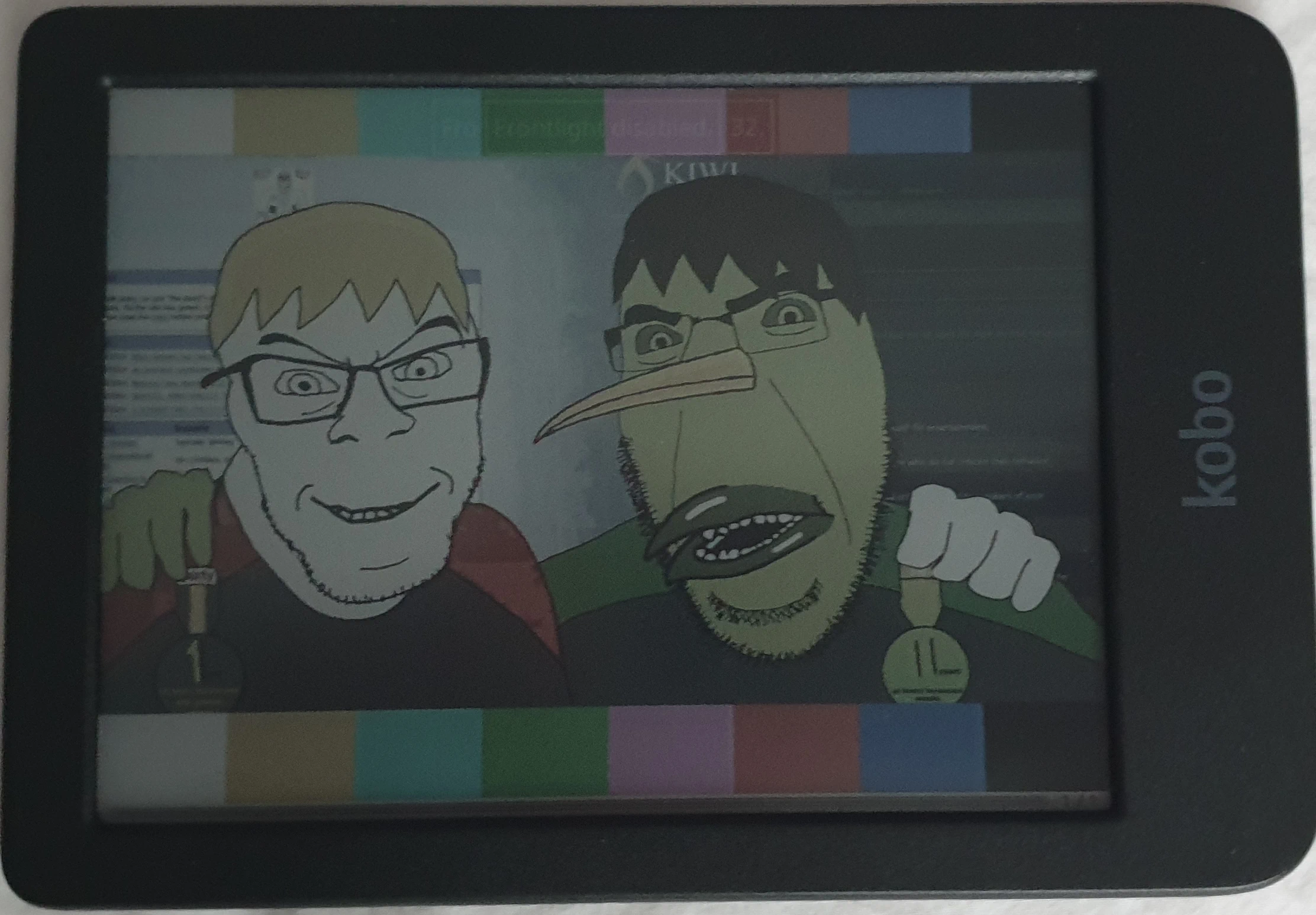
color-1.webp color-2.webp

Now regarding the screen durability, it's not great. I have kept it in my pocket along with a leather wallet and my phone which has some hard plastic case and it already has a few very mild scratches... I'm not entirely sure if it's from that or from my nails tapping the screen, but either way it doesn't seem good! Was expecting better in this regard. You can't really see them that well, but if the light falls down on it at a certain angle, they are noticeable. (Or actually, I think I may have kept it in the wrong pocket once or twice, maybe I had something else in there that could have caused this?)
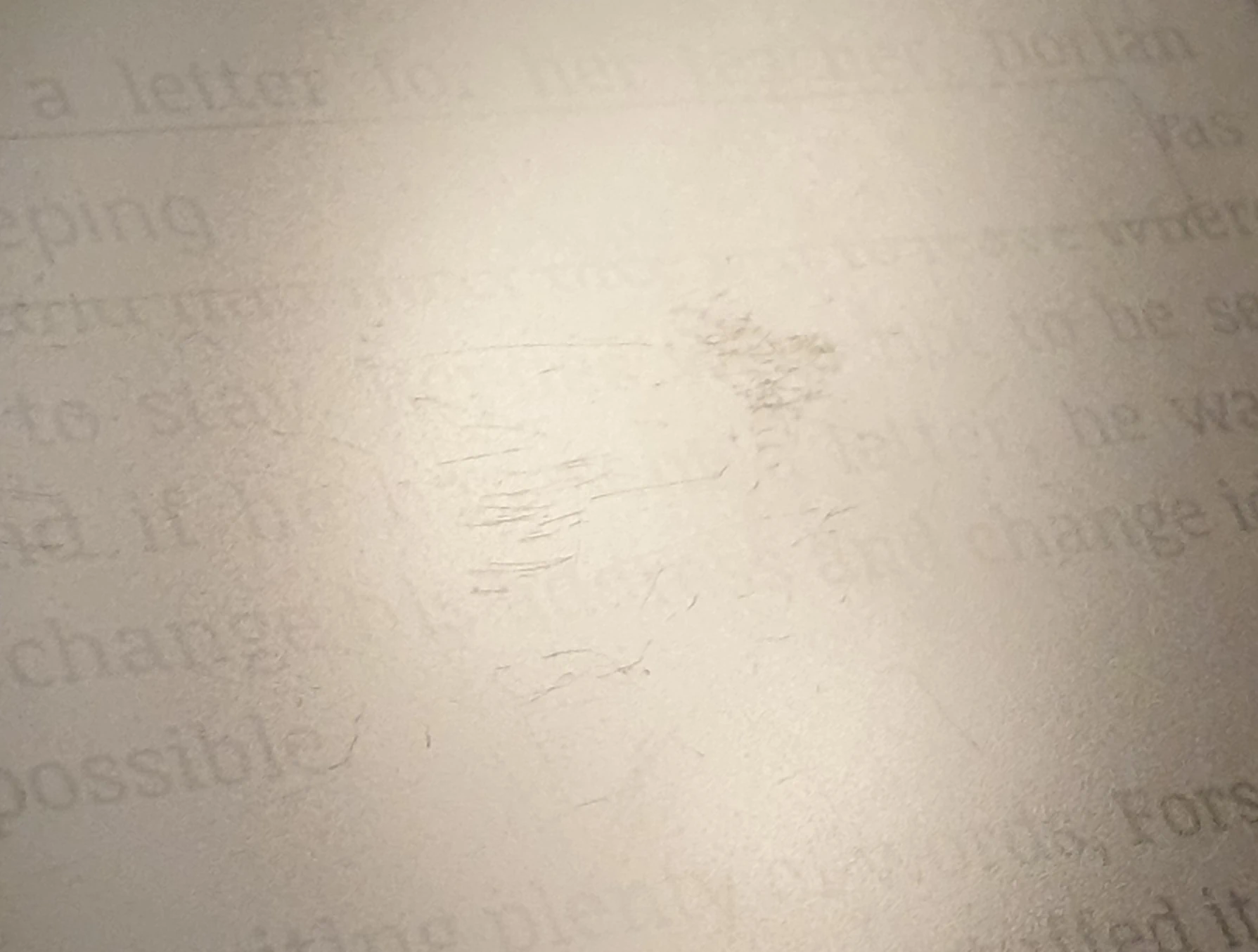
scratches.webp

Other stuff: I actually started using KoReader (here's an installation guide). So far I like it better than the default reader, it feels more responsive, more customizable and I like the file browser more. Also, some of the books I acquired in epub format didn't seem to work with the default reader, but work fine on KoReader. My only issue with KoReader so far is that I failed to get the Japanese dictionary working. The English one I added seems to work fine and it definitely detects the Japanese one in the settings too, but it just fails to find anything when I select it. Something I'll have to look into some more at a later date.
 
The screen itself is actually "darker" less contrasting than my old Kindle 3G. I suspect this is also because of the touchscreen. Fortunately, it seems that the "frontlight" does not use the battery all that much. You can also adjust the light's brightness and 'warmth' (making it slightly more orange-ish). Overall, I consider it a downgrade from my old kindle but it actually doesn't bother me too much.
It's darker because of the color. Kobo uses Kaleido 3 tech which works by placing a color filter on top of the e-ink screen which reduces the amount of light being reflected back considerably.

There is an actual color eink technology with separate color pigments in the e-ink elements (instead of the color filter trick used by the Kobo and pretty much every other color ereader), but AFAIK only ReMarkable is using it currently because it's expensive and certain colors are difficult for it to accurately replicate (orange being one of them).
 
It's darker because of the color. Kobo uses Kaleido 3 tech which works by placing a color filter on top of the e-ink screen which reduces the amount of light being reflected back considerably.

There is an actual color eink technology with separate color pigments in the e-ink elements (instead of the color filter trick used by the Kobo and pretty much every other color ereader), but AFAIK only ReMarkable is using it currently because it's expensive and certain colors are difficult for it to accurately replicate (orange being one of them).
Oh, that's interesting! I guess I should have researched color e-inks more. It doesn't really bother me that much, but I suppose for anyone else considering a color e-reader, I'd say it's probably not really worth it if that's the trade off.
 
I usually read on phone because fuck you, but I usually use ReadEra Premium. Real cheap one-time purchase, worth it.

I keep it for my Gaulish dictionary.
 
Back
Top Bottom