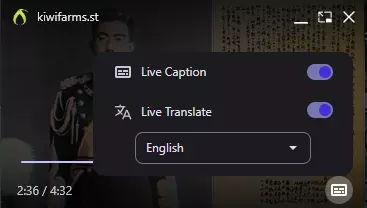
For something that is Liquid Glass, it is Liquid Ass for me.
After using the player a bit more on desktop, the height of the rectangle could definitely be reduced and the icons compacted together a bit more to waste less space, as there is plenty of padding between all the various elements and the edge of the video frame. The objective of a video player is to watch the video, not look at the playback settings during playback. I find myself fullscreening videos more often with the new player as the bar blocks a tad bit too much screen real estate. For me this is because the default window size in posts is relatively small and the toolbar takes up around 1/5th of the entire frame.
The general design, features and functionality are excellent, just shrink it down a bit.
As much as I dislike Macfags, the liquid glass in general is unobtrusive and shows what is behind the bar which is slightly better than a solid black background. The issue is that the implementation is almost too transparent (as shown below in the first image). The rounded corners are also absolutely unforgivable and should be reduced in radius or removed - they are straight from the Windows 11 jeet soydev design handbook.
Here is a random concept I came up with. Left is original, Middle is modified, Right is the original player. I cut the padding out between the bar and the edges of the frame and reduced wasted space. I am not sure how difficult it would be to actually implement in the player or how others feel about how close together the buttons are.

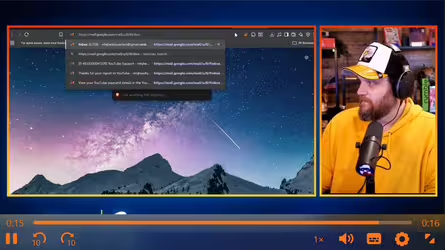

Currently, the player on the left takes up ~26% of the screen. The concept one would only take up ~14.3% of the screen. That is a 45% reduction of wasted space!